


USB Light Guide: Plug-In LED Night Lights for UK Buyers
A USB light is a small light that takes power from a USB port instead of a mains plug or a battery compartment. That single design choice makes it one of the most flexible lighting options you can buy. You can run it from a laptop, a power bank, a USB adapter or a wall socket with built-in USB outlets.
For UK shoppers, these lights solve a few everyday problems. They light a hallway at night without waking the house. They brighten a rented flat where you cannot add wiring. They pack into a rucksack for a camping trip. This guide covers the main types, the specs worth checking, and how to pick the right one for each room.
What Counts as a USB Light?
The category is wider than most people expect. A USB light can be a plug-in night light, a desk lamp, a motion sensor strip, a set of fairy string lights, or a rechargeable wall light. The shared feature is the USB connection rather than a traditional plug or disposable batteries.
Most USB lights use LED technology. LEDs run cool, draw very little power and last a long time compared with older bulb types. That combination is why so many small lights now ship with a USB cable in the box.
Common types you will see on UK shelves and listings include:
-
Plug-in night lights that sit in a USB socket and glow all night
-
USB-powered table and desk lamps for workspaces, bedrooms and study areas
-
Rechargeable wall lights and sconces that avoid messy wiring and trailing cables
-
Fairy string lights and LED strips for decorative use
-
Flexible reading lights with a bendable neck and a USB fitting
-
Motion sensor lights and LED strips that switch on as you approach
Why USB Lighting Suits Rented Homes and Small Spaces
Renters often cannot add new sockets or ceiling fittings. A rechargeable USB wall light can be charged with the included cable and then moved wherever it is needed. There is no wiring to install and no electrician to book.
Small spaces benefit in the same way. A box room with one double socket can run two USB lights from a single adapter. A student desk can take a USB desk lamp powered straight from a laptop. A narrow hallway can have a soft glow at floor level without a permanent fixture.
Portability is the other advantage. A light that runs from a power bank can move from the bedside table to the garden bench to the tent without any change to your setup.
Where USB Lights Are Most Useful
Night lights for hallways, bedrooms and landings
A small plug-in light gives enough glow to find your way to the bathroom at 3am. It also helps children who feel uneasy in the dark. Look for a warm colour temperature and a low output so the light does not disturb sleep.
Desk and study lighting
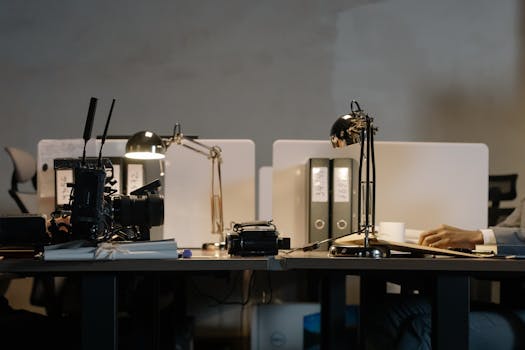
USB-powered desk lamps offer flexible lighting for workspaces, bedrooms and study areas. They can be powered from a laptop, a power bank or an adapter. A bendable neck helps you aim light at a keyboard or a book rather than across the whole room.
Camping, travel and emergency use
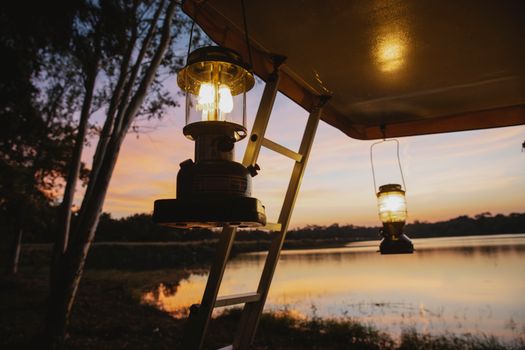
USB lights are multi-purpose by design. They work for sleeping, corridor lighting, camping and emergency backup. A rechargeable model paired with a power bank covers a weekend away. A string of USB fairy lights turns a tent or campervan into something more comfortable.
Cupboards, sheds and awkward corners
Motion sensor USB lights suit spots where a switch would be awkward. A wardrobe, an under-stair cupboard or a garden shed can all be lit on demand. The light comes on as you open the door or step inside, then fades once you leave.
Key Specs to Check Before You Buy
Brightness and lumens
Lumens measure how much light a fitting produces. Watts tell you how much power it uses. For a night light you want a low lumen figure. For a desk lamp you want considerably more so you can read or work comfortably.
Check the lumen figure on the product listing rather than guessing from the picture. Two lights that look identical online can differ widely in output. If the listing does not state lumens, treat that as a warning sign.
Colour temperature
Colour temperature describes how warm or cool the light looks. Warm white gives a soft, yellow-toned glow that suits bedrooms and hallways. Cool white looks crisper and brighter, which suits task lighting on a desk. Natural white sits between the two and works well in kitchens and utility areas.
If you plan to use the same light in several rooms, natural white is the safer middle ground. For a child's bedroom, warm white is usually the better pick.
USB-A or USB-C
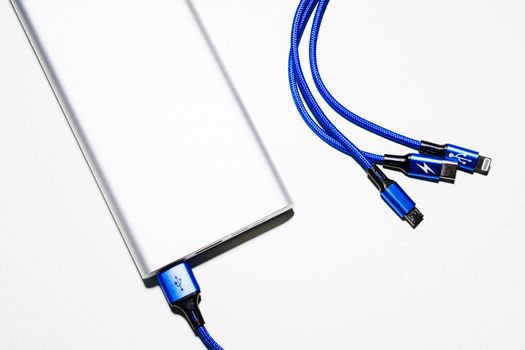
Check which connector the light uses before ordering. USB-A is the older rectangular plug found on most laptops and chargers. USB-C is the smaller oval connector now common on phones, tablets and newer laptops. Some lights come with a fixed cable and some have a detachable one.
A detachable cable is more forgiving. If the cable wears out or you change devices, you can swap it rather than replace the whole light. Adapters are widely available if you need to convert between the two.
Cable length, plug shape and adjustability
Cable length decides how far the light can sit from the power source. A short cable suits a wall socket. A longer one gives you room to move a lamp around a desk. Flexible necks and swivel heads help you direct the beam.
How many lights come in the pack
Multipacks are common, and pack size matters more than most buyers expect. If you want matching lights in a hallway, a landing and two bedrooms, buying a single pack keeps the look consistent. A USB light 5-pack is a sensible way to cover several sockets at once and keep a spare in the drawer.
Energy Efficiency and Running Costs
LED is the most efficient lighting technology in everyday use. A USB light draws a very small amount of power compared with a traditional bulb. That is why you can run one all night from a power bank without draining it quickly.
The exact running cost depends on the wattage printed on the product. That figure is usually small, but it is worth checking the label if you want a precise number. Compare it with the bulb you are replacing to see the difference.
Charging adds a second consideration for rechargeable models. A larger battery takes longer to charge, but it also runs for longer between charges. Think about how you will use the light before choosing between a plug-in and a rechargeable design.
Safety Points Worth Checking
USB LED lights are widely used and generally work well when matched to a suitable power source. One independent tester looked at a range of them and found they performed as expected in normal use. A few simple habits keep things safe.
-
Use a reputable adapter or a socket with a suitable output rating
-
Check the cable and connector for damage before each use
-
Do not overload one port with several high-draw devices
-
Keep cables away from hot surfaces, pets and walkways
-
Stop using any light that feels unusually warm or flickers
Buy from a seller that publishes clear specifications. Vague listings make it hard to judge whether a light suits your socket, your room and your needs.
A Quick Buying Checklist
-
Decide the job first: night light, task light, camping light or decorative light.
-
Match the lumen figure to the room and the task.
-
Choose warm white for bedrooms and cool or natural white for desks and kitchens.
-
Confirm USB-A or USB-C and whether the cable is fixed or detachable.
-
Check the pack size against the number of sockets you want to fill.
-
Read the specification for wattage and any safety markings.
Frequently Asked Questions
Can I leave a USB night light plugged in overnight?
LED night lights run cool, so leaving one plugged in overnight is normal in many UK homes. Follow the manufacturer guidance for your model, use a suitable port or adapter, and check the cable regularly. Stop using any light with a damaged cable, a frayed connector or a plug that feels unusually warm.
Do USB lights work in a normal plug socket?
They do, as long as you use a USB adapter or a socket with built-in USB ports. Match the port output to what the light expects. Avoid repeatedly unplugging a light if the connection feels loose, and consider an extension lead with USB outlets for awkward spots.
Are USB LED lights safe to use every day?
A tester who reviewed a range of USB LED lights found they generally worked as expected with a suitable power source. Choose a seller that lists clear specifications, inspect the cable before use, and avoid overloading a single port with several high-draw devices at once.
Are USB lights energy efficient?
Almost all USB lights use LEDs, which are the most efficient common lighting technology. Exact running costs depend on the wattage stated on the product, and that figure is usually small. Check the label if you want a precise figure, then compare it with the bulb it replaces.
How many USB lights should I buy?
Count the rooms and corners you want to cover before ordering. Multipacks are a simple way to light several sockets at once and keep the appearance consistent across a hallway or landing. Keeping one spare in a drawer is also useful for guests and power cuts.
